Denmark's wildest electronics webshop is now available in Sweden

ASUS ProArt PA32UCDMR-K 32" 3840 x 2160 (4K) Thunderbolt 4 HDMI 240Hz
ASUS ProArt PA32UCDMR-K - OLED-monitor - 32" (31.5" til at se) - 3840 x 2160 4K UHD (2160p) @ 240 Hz - 1000 cd/m² - 1500000:1 - HDR10 - 0.1 ms - Thunderbolt 4, HDMI - højtalere - sølv
SEK 22 396,00
SEK 17 916,80 excl. VAT
SEK 22 396,00
SEK 17 916,80 excl. VAT
Specifications
|
Produktbeskrivelse
|
ASUS ProArt PA32UCDMR-K - OLED-monitor - 32" - HDR
|
|
Enhedstype
|
OLED-monitor - 32"
|
|
Energimærke QR-kode URL
|
Https://eprel.ec.europa.eu/qr/2507615
|
|
Energiklasse
|
Klasse F
|
|
Adaptive-Sync teknologi
|
VESA Adaptive-Sync
|
|
Egenskaber
|
USB 3.2 Gen 2 hub
|
|
Formatforhold
|
16:9
|
|
Standard opløsning
|
4K UHD (2160p) 3840 x 2160 ved 240 Hz
|
|
Pixel Pitch
|
0.182 mm
|
|
Lysstyrke
|
1000 cd/m²
|
|
Kontrastforhold
|
1500000:1
|
|
HDR-kapabel
|
HDR10
|
|
Responstid
|
0,1 ms (grå-til-grå)
|
|
Farve support
|
1.073,7 millioner farver (10-bit)
|
|
Farvespektrum
|
99% DCI-P3, 100% sRGB
|
|
Input-stik
|
Thunderbolt 4, HDMI
|
|
Justeringer til display-position
|
Højde, pivot (rotering), tilt
|
|
Spænding
|
AC 100-240 V (50/60 Hz)
|
|
Farve
|
Sølv
|
|
Dimensioner (B x D x H) - med stander
|
71.73 cm x 22.8 cm x 60.25 cm
|
|
Vægt
|
9.2 kg
|
|
Producentgaranti
|
3 års garanti
|

Media
.png)
ASUS ProArt Display OLED PA32UCDMR-K Professional Monitor – 32-inch (31.5-inch viewable), 4K UHD (3840 x 2160), QD-OLED panel, Ultra-slim, 240 Hz, 0.1 ms, Auto Calibration, HDR-10, HLG, Dolby Vision, 99% DCI-P3, ΔE < 1, Thunderbolt™ 4 PD 96 W, Calman Ready, ColourSpace Integration, Ergonomic Stand, Monitor Hood, Bundled with MCA02
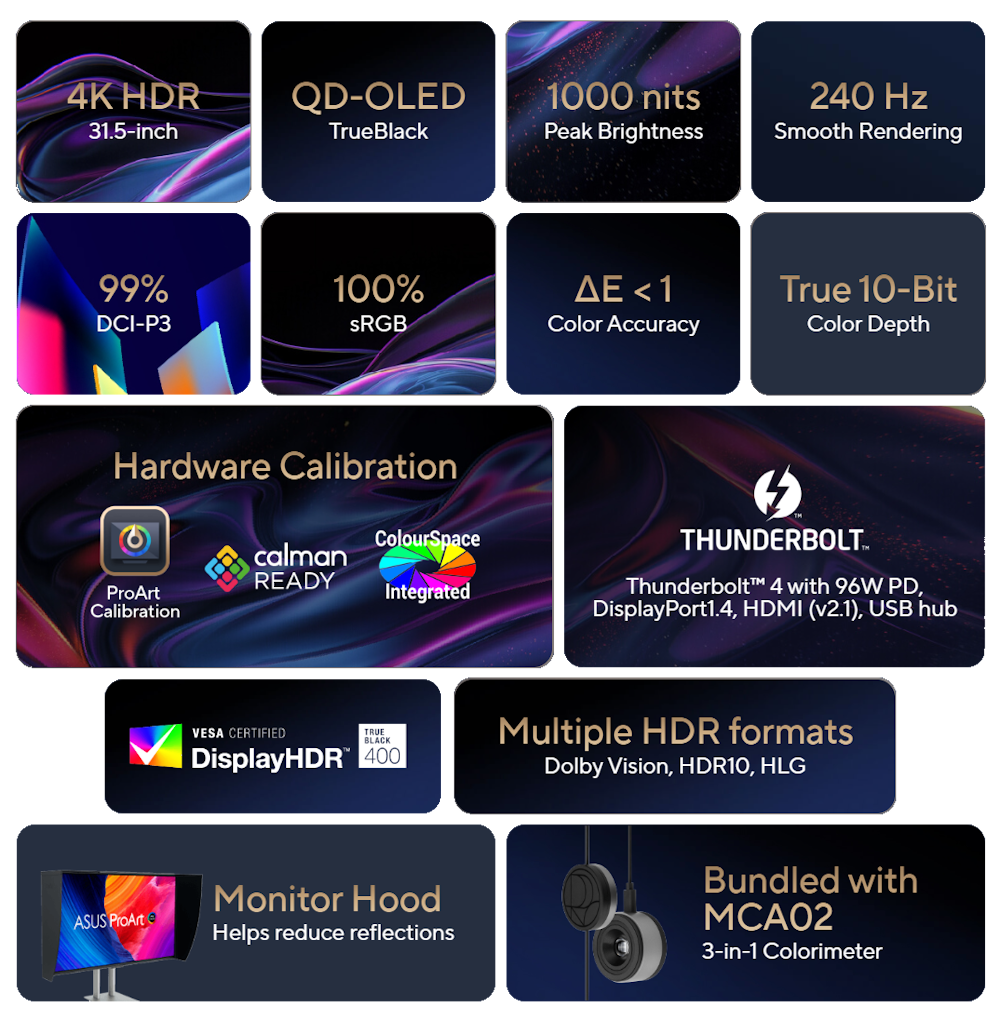
- 31.5-inch 4K UHD (3840 x 2160) QD-OLED panel with 240 Hz refresh rate and 0.1 ms (GTG) response time for smooth rendering
- 1000 nits peak brightness with VESA DisplayHDR™ True Black 400 for exceptional color contrast
- True 10-bit color depth and Quantum Dot technology provide 100% sRGB, 99% DCI-P3 and Rec. 2020 color gamut
- World-leading ∆E < 1 color performance and ASUS ProArt Hardware Calibration Technology for color-accuracy optimization and color profile write-back
- Multiple HDR format support, including Dolby Vision, HLG and HDR10 (Dolby Vision will be ready in 2026/Q1 via firmware update)
- Rich connectivity including dual Thunderbolt™ 4 up to 96 W Power Delivery, HDMI® 2.1, DisplayPort™ 1.4 DSC and a built-in USB Hub
- Ergonomic design with tilt, pivot and height adjustments for a comfortable viewing experience
- Green Sustainability: paper packaging and energy-efficient environmental standards
- Monitor hood and ProArt CaliContrO MCA02 3-in-1 Colorimeter included
.png)
.png)
.png)
.png)
.png)
.png)
.png)
.png)
.png)
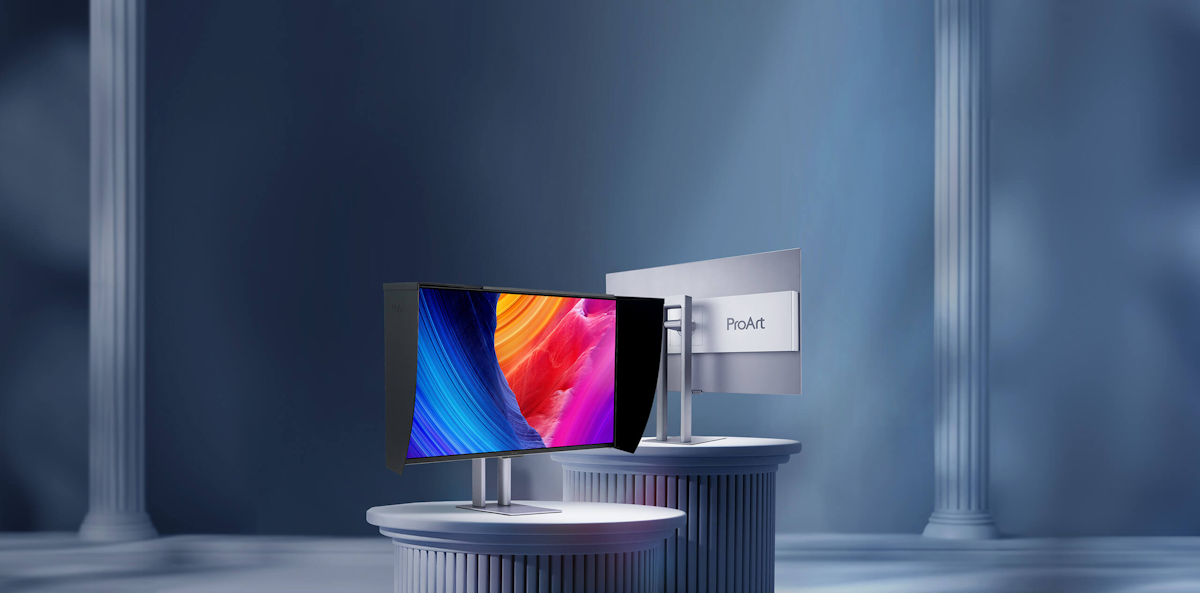
ProArt Display OLED PA32UCDMR-K is a professional monitor designed for professional content creators. This 31.5-inch 4K HDR display boasts a cutting-edge 1000-nits QD-OLED panel with 99% DCI-P3 gamut, ensuring highly-accurate colors and exceptionally-detailed visuals. Its up to 240 Hz refresh rate enables creators to develop fast-rendering games and perform artwork quality checks on a single display. Additionally, support for multiple HDR format makes PA32UCDMR-K the perfect monitor for working on fast-moving HDR content.
Empowering Content Creators
.png)
Filmmakers & Video Editors
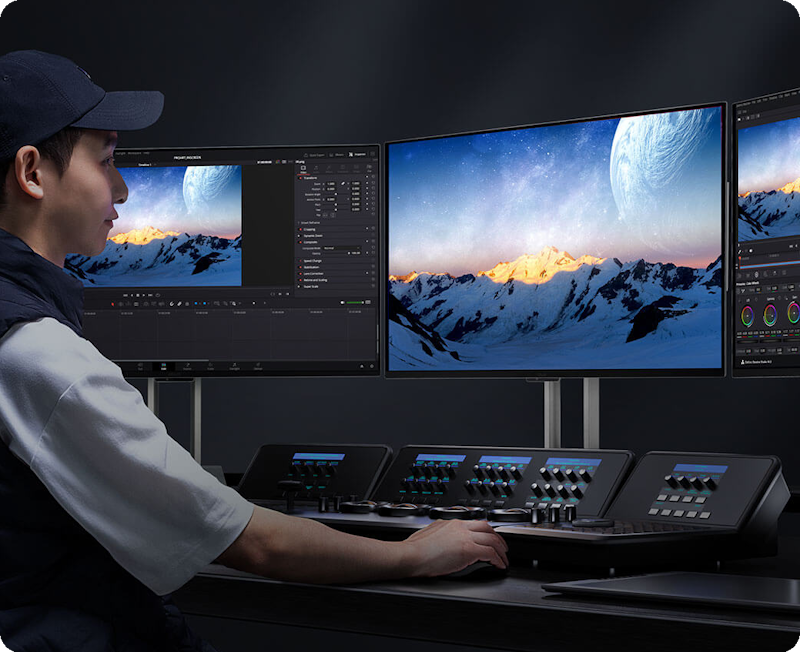
A high-resolution monitor with wide color gamut, true black performance, and ultrahigh contrast is a must-have tool when producing 4K HDR content.
.png)
Colorists
PA32UCDMR-K is factory calibrated for industry-leading color fidelity and Delta E<1 accuracy. It also offers hardware calibration support for consistent color performance.
.png)
Game Developers
A high-resolution monitor with wide color gamut and a 240 Hz refresh rate for smooth rendering allows game developers to design and review game artwork on a single display.
.png)
3D/VFX Artists
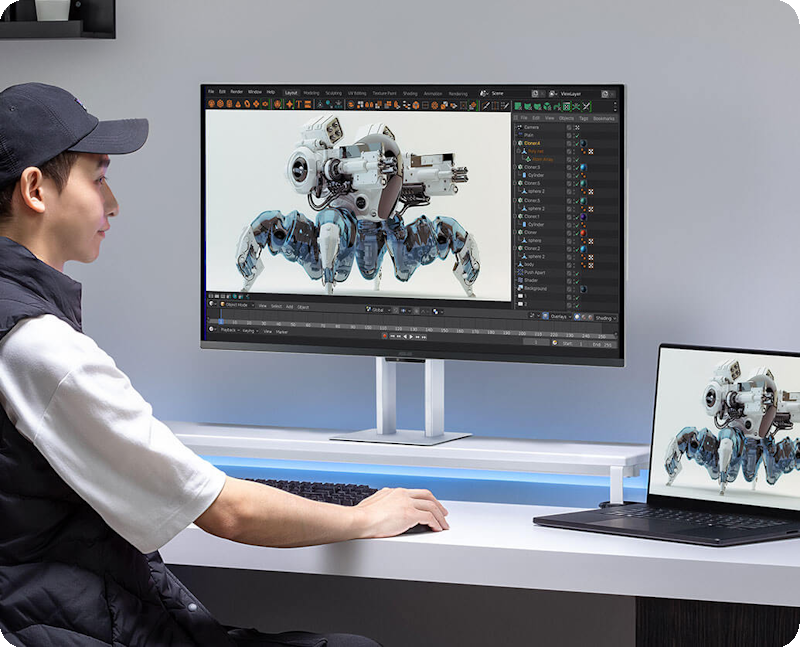
The 240 Hz refresh rate and 4K visuals provide 3D/VFX artists with supersmooth, detailed visuals. Higher refresh rates generally reduce flicker so moving visuals appear more fluid, allowing for more comfortable viewing experiences.
.png)
Designers & Photographers
PA32UCDMR-K delivers ultra-high-quality visuals and ensures that creative details aren’t lost on the journey from click to print or production.
Amazing QD-OLED Experiences
.png)
.png)
.png)
.png)
True Professional-Grade Colors
The studio-grade 99% DCI-P3 gamut offered by PA32UCDMR-K ensures richer, more vivid colors, making it the ideal monitor for both color-intensive projects and other creative pursuits.Ultra-Accurate Color
ProArt displays are factory calibrated to guarantee industry-leading color accuracy. Each monitor undergoes stringent testing to ensure smooth color gradation.Deeper Blacks, Brighter Whites
A peak brightness of 1000 nits (3% area) allows for outstanding contrast between the deepest black and gleaming white hues.Advanced Panel Design
A graphene film behind the QD-OLED panel helps reduce operating temperature. Graphene is the thinnest and strongest nanomaterial in the world and has high thermal conductivity to help effectively dissipate heat.
Ideal for Game Development and Video Editing
PA32UCDMR-K offers up to a 240 Hz refresh rate and features variable-refresh-rate (VRR) technology to allow creators to work on fast-rendering visuals and conduct quality checks — all on a single display. HDMI® 2.1 with 4K@240 Hz support results in supersmooth visuals with exceptional levels of detail.
up to
240 Hz
Refresh Rate
up to
240 Hz
Refresh Rate
Intuitive and Intelligent Calibration
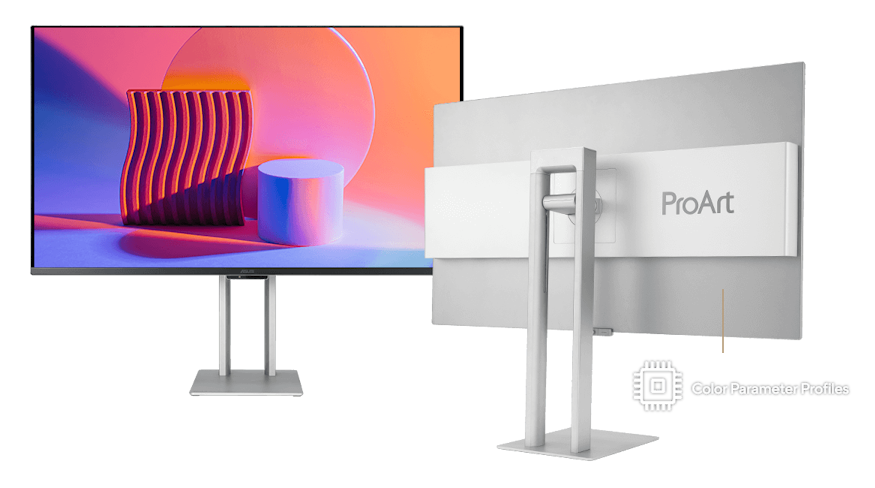
ProArt Hardware Calibration
Mac
Compatible
Compatible
Windows
Compatible
Compatible

.png)
ASUS OLED Care
ProArt Display OLED series monitors include ASUS OLED Care features that are proven to safeguard the display by minimizing the likelihood of image burn-in.*These functions can be accessed within the OSD by selecting Settings --> Screen Saver.
Panel Protection
Provides Sensing Protection, Pixel Shift, Screen Saver, ISP (Global), and Off Sensing to prevent static images from being displayed continuously on your screen. This feature offers two levels of adjustment to choose from.Image Protection
Dynamically detects and identifies the task bar, logos, and video edges, reducing the brightness around them to minimize the risk of burn-in. This feature offers three adjustable levels to choose from.Proximity Sensor
Automatically decreases brightness gradually when it detects no user in front of the monitor. There are three adjustable detection ranges available.
Uniform Brightness Setting
OLED displays feature an Auto Brightness Limiter (ABL) to maximize power use. When displaying a white (or bright) image in a particular window, the display automatically dims the image as the window size increases.
The optional Uniform Brightness function in the OSD menu is particularly useful when switching between, or changing the size of windows with vastly different contrast levels as it keeps brightness levels consistent with up to 250 nits for comfortable viewing and more accurate colors, even after hours of use.
The optional Uniform Brightness function in the OSD menu is particularly useful when switching between, or changing the size of windows with vastly different contrast levels as it keeps brightness levels consistent with up to 250 nits for comfortable viewing and more accurate colors, even after hours of use.
Without Uniform Brightness setting
With Uniform Brightness setting
The Perfect Monitor for Your Mac
ProArt Display combines professional-grade performance and Mac-tested compatibility. Offering vibrant colors and versatile connectivity, ProArt Display is ideal for Mac users seeking exceptional color accuracy and unmatched productivity.
.png)
Instant Display Adjustment
Intuitive display control with ASUS DisplayWidget Center for macOS users..png)
Seamless MacBook Controls
Use the MacBook brightness buttons to control the monitor's brightness* with ASUS DisplayWidget Center installed.*Mouse cursor must be visible on the ProArt Display to use this function.
.png)
Seamless Motion Experience
The high refresh rate and VRR are a perfect match for Mac ProMotion..png)
Connect Efficiently & Stay Organized
A single Thunderbolt™ 4 port caters to all creative needs..png)
Trusted Compatibility
Tested by trusted third-party labs to ensure compatibility.
Create In Ultra-Vivid HDR
ASUS Smart HDR Technologie
Exclusive ASUS Smart HDR technology enables this monitor to support multiple HDR formats, including Dolby Vision®, HLG and HDR10.Dolby Vison® transforms the viewing experience with unparalleled brightness, contrast, and colors. The ProArt Display is the world's first computer monitor with Dolby Vision® support, making it ideal for professional image production, color grading, and mastering.
HLG allows users to view and create material for broadcast and satellite TV platforms such as BBC iPlayer, Japan NHK TV, and DirecTV.
HDR10 support ensures compatibility with existing streaming video services and a growing list of HDR-enabled games.
Multiple PQ Curves
ASUS ProArt Displays support multiple HDR10 curves, including PQ Hard Clip, PQ Optimized and PQ Basic, which can cover all content creation needs.
.png)
.png)
.png)
PQ Hard Clip
This setting preserves the PQ curve until it displays maximum luminance. Anything brighter will be mapped to the maximum luminance of the display.PQ Optimized
This PQ curve setting reproduces accurate gradations that correspond to the maximum brightness of the monitor to deliver optimized HDR performance.PQ Basic
This setting offers general HDR performance.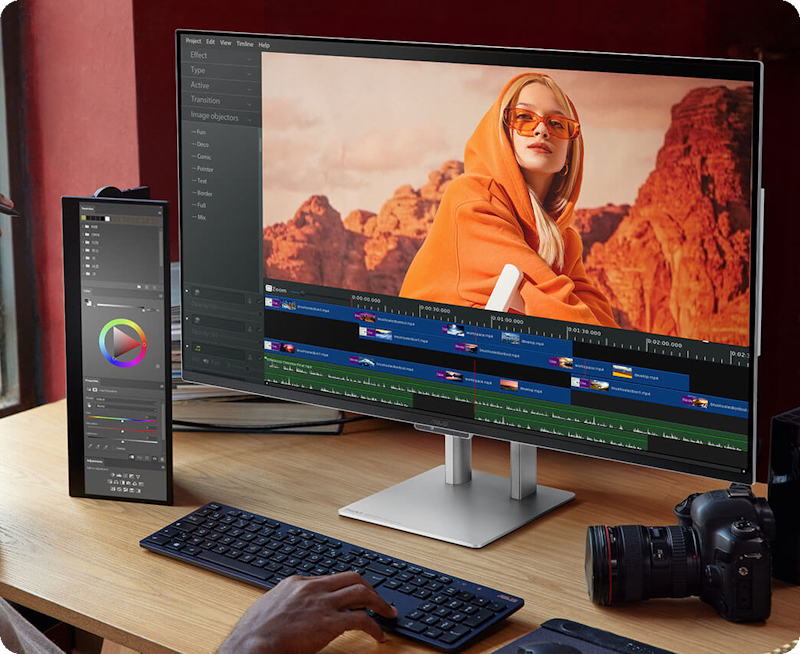
HDR Preview
HDR Preview enables a direct camera-to-monitor connection to view captured HDR content with its full tonal range. It also works within most video editing software platforms, providing accurate simulations of the final output for an easier, more streamlined editing experience.
Exquisite Design
Expansive Connectivity
ProArt Display offers dual Thunderbolt™ 4 ports, DisplayPort™ 1.4 DSC and HDMI® (v2.1) port for compatibility with current and future displays and peripherals. One of the Thunderbolt™ 4 ports offers up to 96 W Power Delivery to charge devices as well as the ability to daisy-chain several displays though a single port, without the need for a hub or switch. A built-in USB 3.2 hub includes one USB Type-A port and Type-C®, allowing for easy connections to a variety of devices and peripherals, as well as charge compatible devices.*
*Please check the power requirements of your device to ensure they match the monitor’s USB power output.

*Please check the power requirements of your device to ensure they match the monitor’s USB power output.
.png)
Dual Thunderbolt™ 4
HDMI® (v2.1)
DisplayPort™ 1.4 DSC
USB Hub
Seamless Monitor Management
ASUS DisplayWidget Center is software that provides an intuitive interface to adjust monitor settings, including brightness, contrast, and color temperature. Whether a monitor is used for everyday viewing or for professional creative work, users can effortlessly find the optimal display settings for enhanced viewing experiences.
Windows
Compatible
Compatible
macOS
Compatible
Compatible
.gif)
Streamline Your Workflow with ProArt CaliContrO
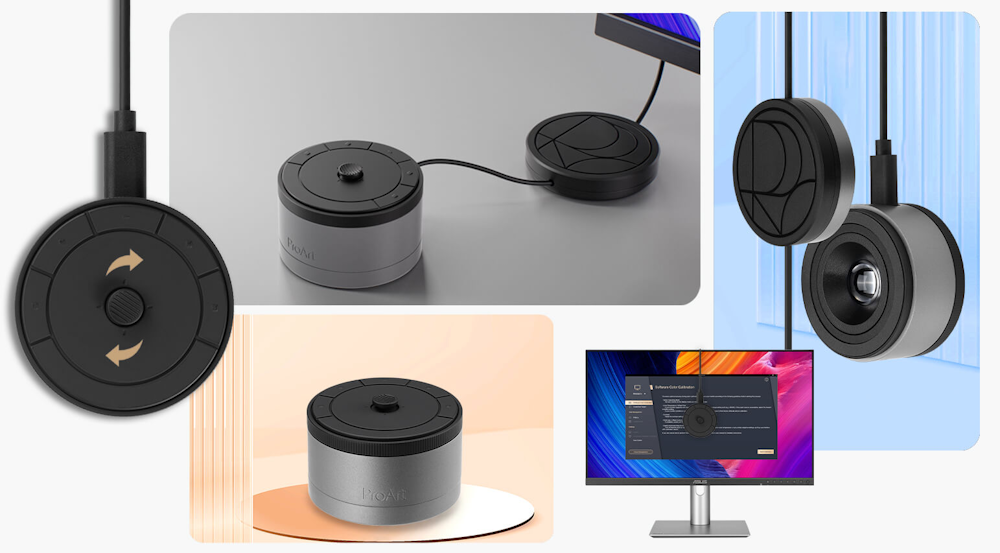
The versatile ProArt CaliContrO MCA02 three-in-one colorimeter works with ASUS-exclusive apps for hardware and software calibration. It also supports the generation of ICC profiles for conventional monitors and laptop screens, enabling comprehensive color management across a wide range of devices. On-Screen Display (OSD) control via MCA02 enables quick adjustments when connected to a compatible monitor, with vibration feedback for enhanced usability. Built-in ASUS Dial features offers instant and precise control for Adobe apps and other applications by enabling customized shortcuts.
*The functions supported by the ProArt CaliContrO MCA02 may vary depending on the monitor model and operating system (OS).
*The functions supported by the ProArt CaliContrO MCA02 may vary depending on the monitor model and operating system (OS).

What should Mac users keep in mind when choosing a suitable monitor for graphic design or video editing?
Mac devices deliver high-resolution visuals, so ideally, the chosen monitor should be able to showcase high-res imagery, have a high pixel-per-inch count (PPI), wide DCI-P3 color gamut, as well as a Thunderbolt / full-function USB-C® port with 96-watt Power Delivery. A monitor with HDMI® 2.1 connectivity also provides the flexibility to connect to other devices, without the need for any dongle or adapter. Additional USB Type-A and USB-C® ports will also be able to support USB drives or external storage. A monitor with height, tilt, and swivel adjustments will also provide users with a comfortable and ergonomic viewing position — especially useful when working long hours.
Can the monitor’s Thunderbolt USB-C port charge a MacBook or Windows laptop?
Yes, the Thunderbolt™ USB-C® port of ProArt Display OLED PA32UCDMR-K features 96-watt Power Delivery to charge MacBook or Windows laptops via a single Thunderbolt™ USB-C® cable. Thunderbolt™ USB-C® port is able to transmit audio, video, as well as data.
Activating the monitor’s USB hub when connected to a MacBook or Windows laptop?
If the MacBook or Windows laptop has a Thunderbolt™ / USB-C® port that supports DP Alt mode, simply use a USB-C® cable to connect to the ProArt monitor and the USB hub will be activated automatically. When connecting a MacBook or Windows laptop to the ProArt monitor via HDMI®, an additional USB-C-to-USB-A cable is required for an upstream connection to activate the USB hub.
How to set up daisy-chained monitors with the MacBook, Mac or Windows laptop via Thunderbolt™?
1. Connect the First Monitor: Use a Thunderbolt™ 4 USB-C® cable to connect the MacBook, Mac or Windows laptop to the Thunderbolt™ port on the first monitor, labeled with the 96 W and laptop icon.
2. Daisy Chain the Second Monitor: Connect the Thunderbolt™ port on the first monitor (labeled 15 W) to the Thunderbolt™/USB-C® port (with DP Alt mode) on the second monitor.
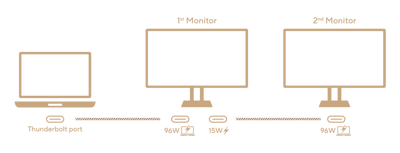
2. Daisy Chain the Second Monitor: Connect the Thunderbolt™ port on the first monitor (labeled 15 W) to the Thunderbolt™/USB-C® port (with DP Alt mode) on the second monitor.
What is Delta E?
The Delta E value measures the difference between two colors that appear onscreen. A Delta E<1 value indicates a negligible color difference that is only perceptible through very close observation.
Should the monitor be calibrated before use?
Each ProArt display is individually calibrated at the factory to achieve Delta E<1 color accuracy. Each of the monitor's color gamut standards (sRGB, DCI-P3, Adobe RGB) have also been calibrated, so it’s ready to use right out of the box.
If the colors appear inaccurate after using the monitor for a while, what should I do?
ProArt Display offers a free "ProArt Calibration" tool designed for precise and accurate color performance. It supports ProArt displays with hardware calibration capabilities, allowing users to save color profiles directly onto the display's internal scaler IC chip, rather than on the PC. This means you can connect the display to devices with different operating systems or applications without needing to adjust settings. Available for both macOS and Windows, the tool ensures professional-grade color accuracy. Additionally, ProArt Display integrates seamlessly with third-party hardware calibration software, including Calman and Light Illusion ColourSpace CMS. For more details and to download, refer to the ProArt Display Color Management Software & Tools.
How can I prevent my ProArt OLED monitors from burn-in?
ProArt Display OLED series features an ASUS OLED Care with three functions: (1) Panel Protection (2) Image Protection and (3) Proximity Sensor, all designed to protect your OLED display and minimize the risk of image burn-in. However, it's important to note that overly strong protection settings may impact image quality. To balance this, different protection levels are provided. For example, the default setting (Level 1) is optimized to provide OLED burn-in protection while minimizing impact on image quality, making it ideal for most creative workflows. You can also adjust the protection levels individually to suit your preferences.
Why is my screen showing a black image while the indicator light flashes white?
This is the ongoing Off Sensing process designed to protect the OLED panel. The Off Sensing feature is part of the Panel Protection function and operates based on different time settings: Off (24 hours), Level 1 (12 hours, default), and Level 2 (6 hours). The timer counts down whether the screen is on or in standby mode.
Once the set time is reached, the monitor will display a warning message and then automatically begin the Off Sensing process. During this process, the screen will turn black, and the indicator light will flash white for approximately 6 minutes. You can cancel the Off Sensing process by pressing the power button on the monitor. Additionally, Off Sensing will also automatically activate in standby and power-off modes.
Once the set time is reached, the monitor will display a warning message and then automatically begin the Off Sensing process. During this process, the screen will turn black, and the indicator light will flash white for approximately 6 minutes. You can cancel the Off Sensing process by pressing the power button on the monitor. Additionally, Off Sensing will also automatically activate in standby and power-off modes.
Why is there a difference between the OSD brightness setting and the actual measured brightness?
Absolute brightness allows users to more intuitively understand the current brightness value of the screen in each ProArt Preset mode (In default setting). However, in addition to differences in measurement instruments and environment, adjusting settings in ProArt Palette, such as color temperature, EOTF (Gamma), contrast, saturation, hue, RGB Tuning, and Black Level…etc., will slightly affect the brightness value. To obtain accurate brightness value information, please reset the Preset mode to the Default Setting (ProArt Palette >> Reset).

Sustaining anIncredible Future

Environmental Certification
ProArt Display OLED PA32UCDMR-K is stringently tested to meet the requirements of world-leading sustainability certifications. These tests include a comprehensive database of up-to-date criteria, independent verification, and a structured system for continuous improvement.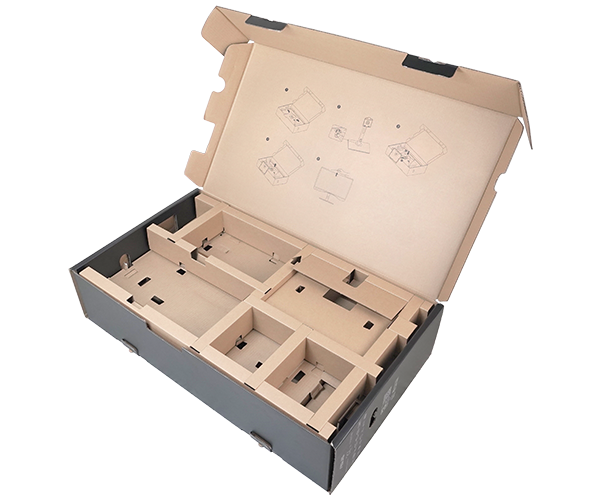
Eco-friendly Packaging
ProArt Display OLED PA32UCDMR-K packaging are made of at least 80% recyclable cardboard. ASUS has designed the packaging to minimize weight and volume, which helps conserve natural resources and allows more devices to be transported in a single shipping container.


Adobe Creative Cloud All Apps
The Creative Cloud All Apps is a subscription plan that includes more than 20 creative apps, including Photoshop, Premiere Pro, Illustrator, InDesign, Audition, XD, and After Effects. You also get Adobe Fonts, thousands of free assets in Adobe Stock, templates, 100 GB of cloud storage, and more.Adobe Acrobat Standard DC
Acrobat Standard DC includes everything in Acrobat Standard, plus advanced PDF features and e-signature features, such as turning scanned documents into editable, searchable PDFs, comparing PDFs to review differences and so on.Adobe Substance 3D
Adobe Substance 3D applications give users access to a collection of tools and content to create, capture, and texture 3D assets, as well as compose and render 3D scenes.- Products certified by the Federal Communications Commission and Industry Canada will be distributed in the United States and Canada. Please visit the ASUS USA and ASUS Canada websites for information about locally available products.
- All specifications are subject to change without notice. Please check with your supplier for exact offers. Products may not be available in all markets.
- Specifications and features vary by model, and all images are illustrative. Please refer to specification pages for full details.
- PCB color and bundled software versions are subject to change without notice.
- Brand and product names mentioned are trademarks of their respective companies.
- The terms HDMI®, HDMI® High-Definition Multimedia Interface, HDMI® Trade dress and the HDMI® Logos are trademarks or registered trademarks of HDMI® Licensing Administrator, Inc.
- Product Security Update Support Periods: 3 years (until 31/12/2026)
- The actual transfer speed of USB 3.0, 3.1, 3.2, and/or Type-C® will vary depending on many factors including the processing speed of the host device, file attributes and other factors related to system configuration and your operating environment.
- Please avoid hanging headphones or attaching any items that don't belong to the monitor itself to prevent reducing the monitor’s lifespan.
About ASUS
ASUS is a multinational company best known for their motherboards, PCs, monitors, graphics cards and routers. Along with an expanding range of superior gaming, content-creation and AIoT solutions, ASUS leads the industry through cutting-edge design and innovations made to create the most ubiquitous, intelligent, heartfelt and joyful smart life for everyone. With a global workforce that includes more than 5,000 R&D professionals, ASUS is driven to become the world’s most admired innovative leading technology enterprise.
About ROG
Republic of Gamers (ROG) is an ASUS sub-brand dedicated to creating the world’s best gaming hardware and software. Formed in 2006, ROG offers a complete line of innovative products known for performance and quality, including motherboards, graphics cards, laptops, desktops, monitors, audio equipment, routers and peripherals. ROG participates in and sponsors major international gaming events. ROG gear has been used to set hundreds of overclocking records and it continues to be the preferred choice of gamers and enthusiasts around the world.
© 2026 ASUS Computer International. All Rights Reserved. ASUS is a registered trademark of ASUSTeK Computer. All specifications and terms are subject to change without notice. Please check with your supplier for exact offers on selected models. Products may not be available in all markets. Product may not be exactly as shown in photos. Actual colors may differ from their appearance due to variation of monitor restrictions and color processing. All trademarks are registered to their respective companies. ASUS shall not be liable for technical or editorial errors or omissions contained herein.
ASUS is a multinational company best known for their motherboards, PCs, monitors, graphics cards and routers. Along with an expanding range of superior gaming, content-creation and AIoT solutions, ASUS leads the industry through cutting-edge design and innovations made to create the most ubiquitous, intelligent, heartfelt and joyful smart life for everyone. With a global workforce that includes more than 5,000 R&D professionals, ASUS is driven to become the world’s most admired innovative leading technology enterprise.
About ROG
Republic of Gamers (ROG) is an ASUS sub-brand dedicated to creating the world’s best gaming hardware and software. Formed in 2006, ROG offers a complete line of innovative products known for performance and quality, including motherboards, graphics cards, laptops, desktops, monitors, audio equipment, routers and peripherals. ROG participates in and sponsors major international gaming events. ROG gear has been used to set hundreds of overclocking records and it continues to be the preferred choice of gamers and enthusiasts around the world.
© 2026 ASUS Computer International. All Rights Reserved. ASUS is a registered trademark of ASUSTeK Computer. All specifications and terms are subject to change without notice. Please check with your supplier for exact offers on selected models. Products may not be available in all markets. Product may not be exactly as shown in photos. Actual colors may differ from their appearance due to variation of monitor restrictions and color processing. All trademarks are registered to their respective companies. ASUS shall not be liable for technical or editorial errors or omissions contained herein.