


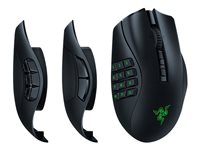
Razer Naga V2 Pro Optisk Trådløs Kabling Sort
Razer Naga V2 Pro - Mus - ergonomisk - MMO, HyperScroll Pro-hjul, gaming - højrehåndet - optisk - 20 knapper - kablet, trådløs - Bluetooth, USB-C, 2.4 GHz
1 874,00 SEK
1 499,20 SEK excl. VAT
-
Product no 1000870023
Model RZ01-04400100-R3G1
Brand Razer USA
EAN 8886419333890
Weight 0.41 kg
-
Product information and specifications are guiding only. Without notice, these can be subject to change by the manufacturer. This applies for product images as well.
| Produktbeskrivelse | Razer Naga V2 Pro - mus - MMO, HyperScroll Pro-hjul, gaming - Bluetooth, USB-C, 2.4 GHz |
| Enhedstype | Mus - ergonomisk |
| Forbindelsesteknologi | Kablet, trådløs - Bluetooth, USB-C, 2.4 GHz |
| Oversigt | Højrehåndet |
| Dimensioner (B x D x H) | 7.55 cm x 11.95 cm x 4.35 cm |
| Vægt | 134 g |
| Teknologi i detektering af bevægelse | Optisk |
| Antal knapper | 20 |
| Bevægelsesopløsning | 30000 dpi |
| Præstation | 70 G maksimum acceleration, 750 tommer pr. sekund |
| Gaming | Ja |
| Egenskaber | Razer Chroma RGB, Razer Hyperspeed Wireless-teknologi, Razer Speedflex Cable, PTFE-musefødder, Razer HyperScroll-teknologi, hukommelsesprofil ombord, Focus Pro optisk sensor, Razer 3. generations optiske mus kontakter, trådløs opladning, Razer Synapse 3 aktiveret, 3 udskiftelige sideplader, 90 millioner klik, 5 profiler, vipbart rullehjul |
| Producentgaranti | 2 års garanti |
| General | |
|---|---|
| Depth | 11.95 cm |
| Device Type | Mouse |
| Ergonomic Design | Yes |
| Gaming | Yes |
| Height | 4.35 cm |
| Orientation | Right-handed |
| Weight | 134 g |
| Width | 7.55 cm |
| Input Device | |
| Buttons Qty | 20 |
| Connectivity Technology | Wireless, wired |
| Features | 5 profiles, Razer Synapse 3 enabled, tiltable scroll wheel, wireless charging, Razer Speedflex Cable, Razer Chroma RGB, Razer Hyperspeed Wireless technology, 3 swappable side plates, Razer HyperScroll technology, on-board memory profile, Focus Pro op |
| Interface | Bluetooth, 2.4 GHz, USB-C |
| Movement Detection Technology | Optical |
| Movement Resolution | 30000 dpi |
| Performance | 70 G maximum acceleration, 750 inches per second |
| Miscellaneous | |
| Compliant Standards | EN 62479:2010, Directive 2014/30/EU, IEC 62368-1, Directive 2014/53/EU, REACH 2006/1907, 2011/65/EU, EN 50663:2017, ETSI EN 301 489-1 V2.2.1 (2019-03), EN 301 489-1 V2.2.3, EN55035:2017+A11:2020, EN 55032:2015+A1:2020 |
| Battery | |
| Run Time (Up To) | 300 hour(s) |
| Software / System Requirements | |
| Software Included | Razer Synapse 3 |
| Manufacturer Warranty | |
| Service & Support | Limited warranty - 2 years |
.jpg)
.jpg)
.jpg)
.jpg)
.jpg)
.jpg)
.jpg)
Razer Naga V2 Pro
MMO Wireless Gaming Mouse with HyperScroll Pro Wheel
- Absolute Adaptability and Control
- Razer™ HyperScroll Pro Wheel
- Razer™ HyperSpeed Wireless
.jpg)
ADAPT AND UNLEASH
Designed to dominate in MMO, Battle Royale, FPS, and more, the multi-genre master returns stronger than ever. With 3 swappable side plates, 19+1 programmable buttons, a Razer HyperScroll Pro Wheel, and Razer HyperSpeed Wireless, the Razer Naga V2 Pro packs the power to rise above every genre.
ABSOLUTE ADAPTABILITY AND CONTROL
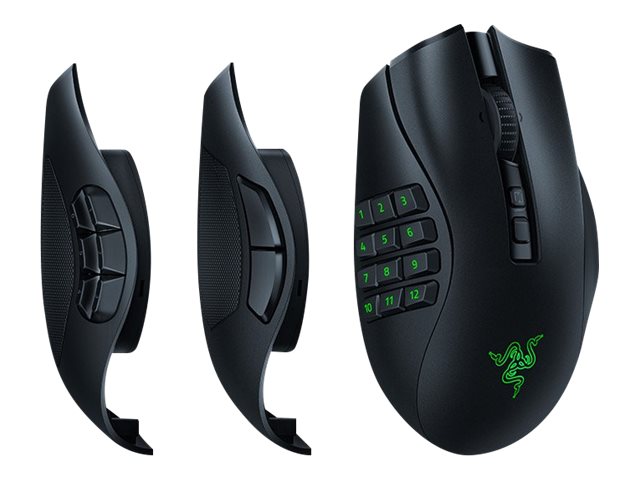
3 SWAPPABLE SIDE PLATES FOR UP TO 22 PROGRAMMABLE CONTROLS
The Razer Naga V2 Pro comes with a set of 12, 6 and 2-button magnetic side plates, allowing you adapt to any game genre with up to 22 programmable controls..jpg)
RAZER™ HYPERSCROLL PRO WHEEL
UNLIMITED CONFIGURATION AND SCROLL FEEL
Toggle between 5 presets and 1 custom mode, all at the tap of a button.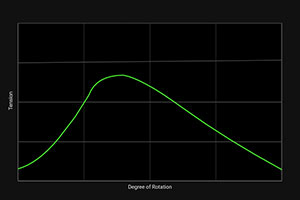
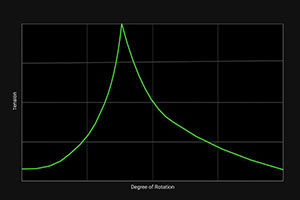
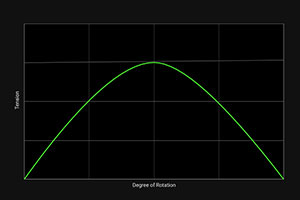
Standard
Distinct
Ultra-fine
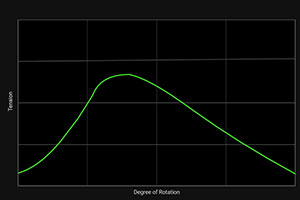
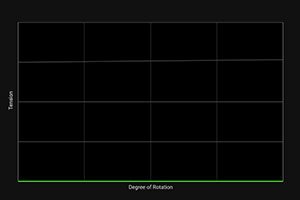
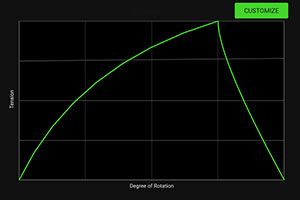
Adaptive
Smooth Scroll
Custom
Graph shown is only one possible example from countless custom configurations..jpg)
FULLY CUSTOMIZABLE SCROLL FEEL
With adjustable tactility, resistance, and steps, create firmer, more distinct scrolls for precise weapon switching, or softer, smoother scrolls with multiple steps to easily spam inputs like jump.
SCROLL TENSION
From a scale of 0 to 100, adjust the strength required for each tick of the scroll wheel. The lower the number, the easier it is to scroll — with 0 providing a completely smooth scroll feel.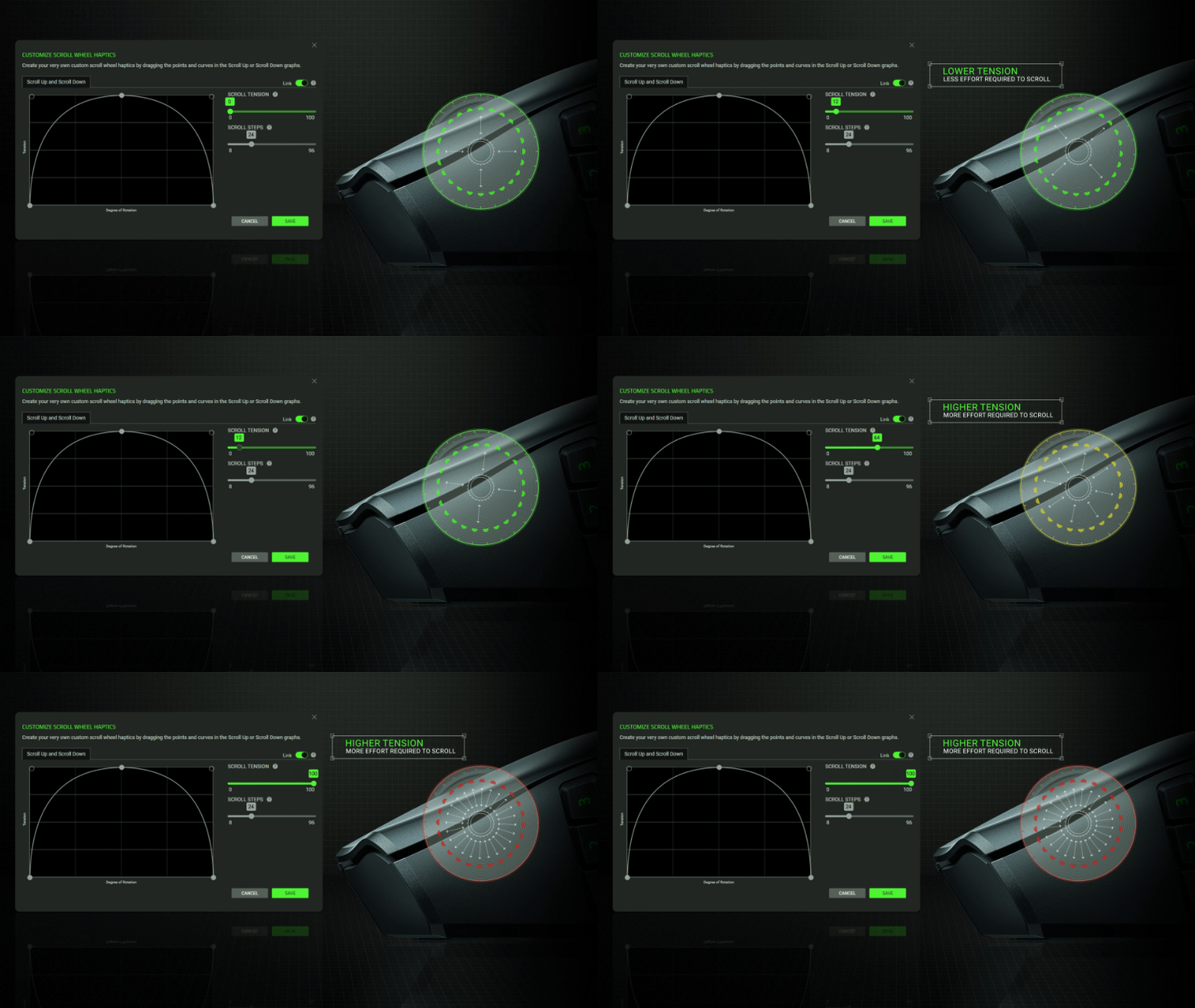
NUMBER OF STEPS
From a range of 8 to 96, set how many steps are required for a complete revolution of the scroll wheel. Lower steps mean thicker, chunkier ticks, while higher steps provide finer ticks and more inputs.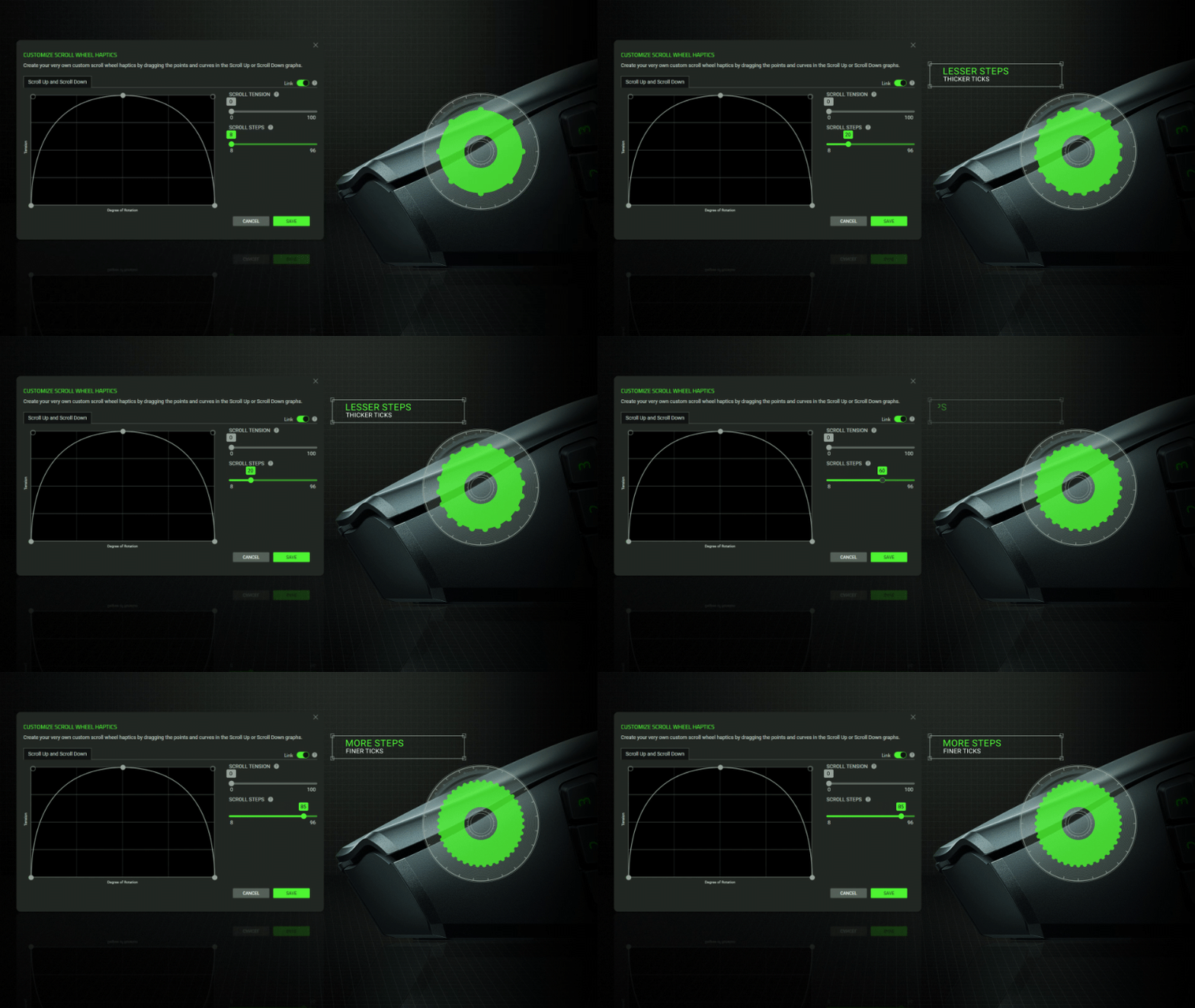
FORCE CURVE
Refine the tactile feedback of the scroll wheel even further by individually adjusting the uptick and downtick curve of the scroll wheel to be gentler or more pronounced.
RAZER™ HYPERSPEED WIRELESS
WITH MULTI-DEVICE SUPPORT
HIGH-PERFORMANCE, LOW-LATENCY GAMING
Enjoy ultra-responsive gaming with a connection faster than other wireless tech. Streamline your setup and free up a USB port by connecting your wireless mouse and keyboard to a single dongle — a feature that can be activated in the latest Razer HyperSpeed peripherals..jpg)
MORE ADVANCED FEATURES



3 MODES OF
CONNECTIVITY
Lasts up to 150 hours on HyperSpeed, 300 hours on Bluetooth, and can be connected via USB Type-C for continued use while charging.
RAZER™ FOCUS PRO
30K OPTICAL SENSOR
Razer’s industry leading SENSOR provides flawless tracking performance on a wider variety of surfaces, including glass — supported by intelligent functions for enhanced aim and control.
RAZER™ OPTICAL MOUSE
SWITCHES GEN-3
From an improved 90-million click lifecycle with zero double-clicking issues, to a blistering 0.2 ms actuation with no debounce delay, enjoy reliability and speed that outshines all others.
What is the form factor of the Razer Naga V2 Pro?
The Razer Naga Pro has a right-handed ergonomic design.
How do I remap buttons and customize settings for the Razer Naga V2 Pro?
In order to configure button mappings, macros, lighting effects and more, you’ll have to first download and install Razer Synapse 3.
What does the button at the bottom of the Razer Naga V2 Pro do?
By default, this button allows you to toggle across different onboard profiles saved onto your mouse. With Razer Synapse 3, you can reconfigure this like any other button on the mouse.
Where can I find the USB wireless dongle for the Razer Naga V2 Pro?
The USB wireless dongle is stored in a pocket within its side plate slot. Simply remove the side plate to store or take out the USB wireless dongle.
How does the Razer Naga V2 Pro work with wireless charging?
With the additional purchase of the Razer Wireless Charging Puck or Razer Mouse Dock Pro (puck included), you can replace the mouse’s cover puck to enable wireless charging. Once the wireless puck has been installed, simply place it on the Razer Mouse Dock Pro or any other Qi-charging device.
Can I use my old Razer Naga Trinity side plates for the Razer Naga V2 Pro?
No, as the side plates are not compatible with the Razer Naga V2 Pro’s design.
.jpg)